Courses

Public cohorts meet at one-north in the evenings or on a Saturday, with an online seat if you cannot be in the room. Groups stay at twelve. I teach in English. You bring a laptop and a piece of work from your own week.

Each course is live, with homework on your files and a four-week clinic afterwards. Indicative fees below include materials. I confirm dates by e-mail when a group has enough people to run.

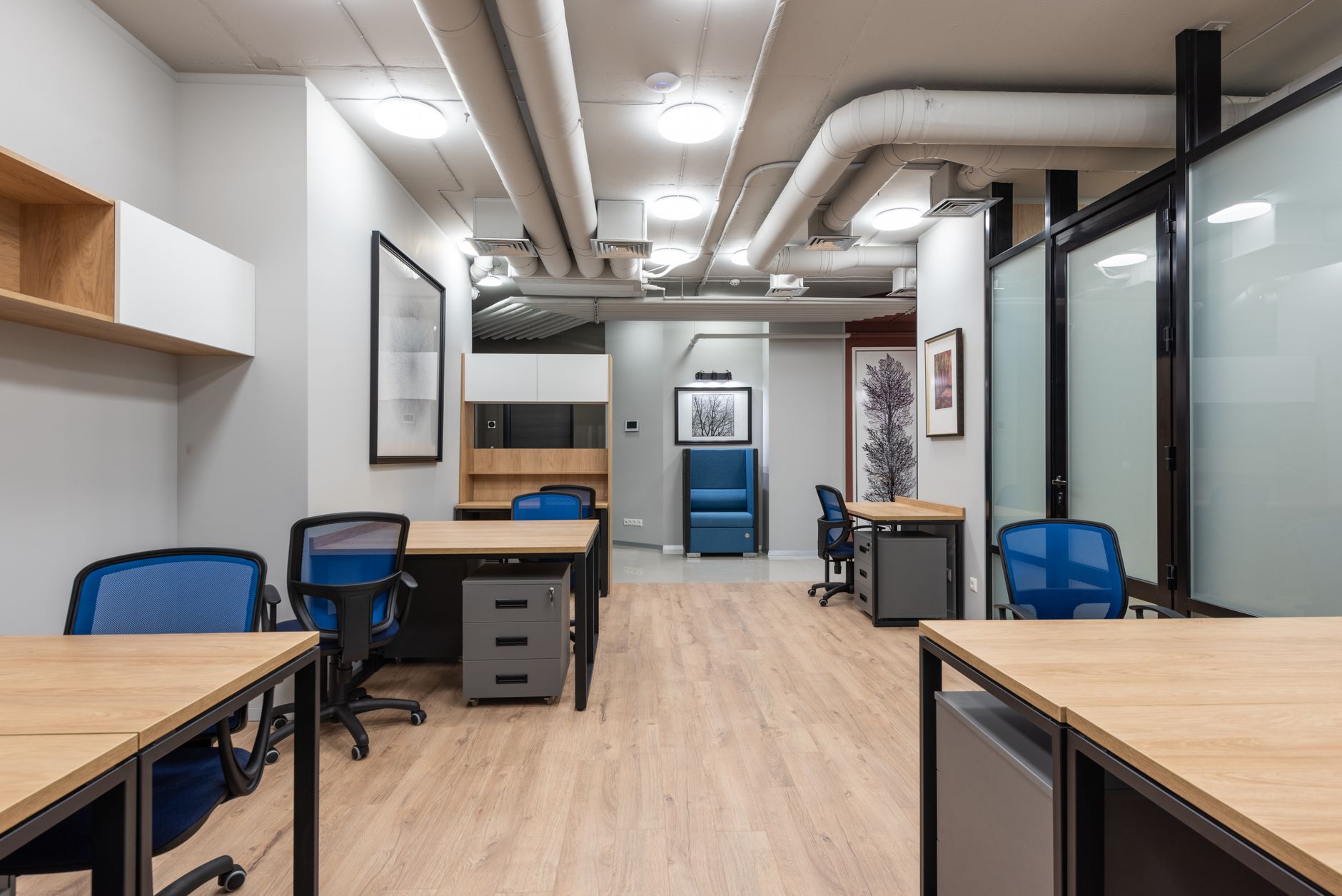
Classroom at one-north
The classroom at one-north, set for an evening group of twelve.
4 evenings 12 hours S$690 Laptop required

Indicative fee per seat, materials included.

AI Foundations for Working Professionals

Who it’s for

People who already have access to a chat assistant at work and still feel they are guessing. You do not need to write code. You do need a real task from your job that you are willing to practise on, even if names and figures have to be stripped first.

What we build

A personal working pack: a prompt pattern you can reuse, a one-page check for invented facts, and one documented workflow from your own week. By the last evening you should be able to run that workflow without me standing next to you, and you will have comments on the homework you sent between sessions.

Programme

  • Framing a task so the model has a job, an audience, and a stop condition, using your own example rather than a toy brief.
  • Prompt structure you can reuse: role, constraints, examples, and what the model must not invent.
  • Checking claims, names, and numbers before anything is forwarded, including a short red-team pass on your draft.
  • Turning a good chat into a repeatable workflow written down for a colleague who was not in the room.
  • A light pass on tools: chat assistants, a spreadsheet copilot, and when a no-code step is enough.
  • Clinic briefing: how to bring a broken run-through to the four-week online hour.

Prerequisites. A laptop you may install a browser on, an e-mail address, and one work example. No programming.

2 evenings 6 hours S$390 Writing samples help

Indicative fee per seat, materials included.

Prompt Craft for Everyday Writing

Who it’s for

Anyone whose week is briefs, updates, proposals, or lesson notes, and who is tired of drafts that sound like a press release. Editors, comms, teachers, and founders who write their own mail all fit. You should be ready to share a short sample of how you already write.

What we build

A small library of prompts tied to your genres: the weekly update, the client reply, the outline, the shortened version for chat. We tune for tone and banned phrases, and we practise a revision pass that keeps your judgement in the last sentence. You leave with the library in a document you own.

Programme

  • Collecting voice: pulling three of your own pieces apart so the model has something to imitate besides “professional”.
  • Constraints that actually hold length, audience, and facts the model is not allowed to add.
  • Revision loops: generating options, then editing as a human rather than accepting the first fluent paragraph.
  • A portable prompt pack for the tools you already open, including how to paste context without dumping a whole inbox.
  • A short ethics pass on quoting people and on inventing testimonials or results.

Prerequisites. Comfort writing in English at work. No design or coding tools required.

Saturday 8 hours S$520 No code

Indicative fee per seat, materials included.

Automate Your Week (no code)

Who it’s for

Operators, assistants, and owners who repeat the same clicks every week and want one of those loops to run without them. You do not need a developer. You need permission to connect the accounts the process already uses, or a dummy set of those accounts for the Saturday.

What we build

One live automation on the free tier of a no-code tool: a form to a sheet, a folder that files itself, a reminder that fires when a status changes. We spend the afternoon breaking it on purpose and writing down what to do when a step fails on a Monday morning.

Programme

  • Choosing a loop that is boring, frequent, and already well understood, rather than the most ambitious idea in the room.
  • Mapping triggers, actions, and the human checkpoint where a message must not send itself.
  • Building on a free-tier no-code tool, with a fallback path if your workplace blocks a particular service.
  • Failure cases: empty fields, duplicate rows, and what the automation should do when it is unsure.
  • A one-page runbook for whoever covers you on leave.
  • A light look at using a chat assistant to draft the copy inside a step, with the same confidentiality rules as the other courses.

Prerequisites. You can log into the apps the process already uses. No programming. Paid licences are not required.

4 evenings 12 hours S$690 Bring a spreadsheet

Indicative fee per seat, materials included.

Analysing Data with an AI Assistant

Who it’s for

Analysts, finance partners, and anyone who already lives in tables and is being asked to “just use AI” on them. You should be able to explain your columns. You do not need Python, though we can peek at it on the last evening if that helps your workplace.

What we build

A repeatable method for asking a model to summarise, flag, and chart a sheet you actually use, with every numeric claim checked back to the source. You leave with a commented workbook, a prompt pack for your recurring reports, and a written rule for what must never be uploaded. The clinic is there if a Monday pack still looks odd.

Programme

  • Preparing a sheet the model can read: headers, types, and a stripped copy that keeps the shape of the real file.
  • Questions that ask for a method: filters, groupings, and “show me the rows”.
  • Catching invented totals, silent unit changes, and dates the model has helpfully “fixed”.
  • Charts and commentary that a manager can read, with the source range cited in the note.
  • Spreadsheet copilots on the free tier, and when to stop and do the formula yourself.
  • A short optional pass on a notebook for people who already have Python on their machine.

Prerequisites. You can use a spreadsheet with filters and pivot tables at a basic level. Bring a copy of a real sheet, redacted as needed.

5 evenings 15 hours S$890 A team process helps

Indicative fee per seat, materials included.

Build a Small Internal Assistant

Who it’s for

People who have a folder of guides, a repeating intake, or a first-reply job that currently sits with one tired colleague. You may be in operations, support, or a small professional team. Comfort with files and folders matters more than code.

What we build

A narrow helper with a clear job: answer from a known set of documents, or draft a structured first reply for a human to send. We use free-tier tools. Light Python is offered as an option; every assignment has a no-code path so a paid plan is never the gate.

Programme

  • Scoping a job small enough to finish in five evenings, with an explicit list of questions the helper must refuse.
  • Preparing source material: cleaning, chunking by hand, and labelling what is allowed to be quoted.
  • A no-code assembly of retrieval plus a chat front, tested on questions from your actual week.
  • An optional Python path for people who want a script they can read, still on free tooling.
  • Evaluation: a short set of questions with known answers, and what to do when the helper is fluent and wrong.
  • Handover notes so a colleague can keep the source folder honest after the clinic ends.

Prerequisites. A laptop, a set of documents you may use in class, and patience with messy files. Coding is optional.

Half day 4 hours S$320 Managers welcome

Indicative fee per seat, materials included.

Safe and Sensible AI at Work

Who it’s for

Managers, team leads, and anyone being asked to “set a policy” after a colleague pasted a customer file into a public chat. You do not need to be technical. You should be ready to talk about the kinds of documents your team actually handles.

What we build

A one-page rule of thumb your team can keep beside the tools they already use: what may be pasted, what must be stripped, and when the answer is to keep the work offline. We practise redacting a real-shaped document and briefing a keen colleague without a lecture. You leave with that page in a document you can share.

Programme

  • Where text goes once it is pasted, in plain language, including training and logging on public tools.
  • A redaction drill on a dummy pack that still looks like a contract, a CV, or a customer sheet.
  • A shared checklist for the team, written in the language you already use at stand-up.
  • How to say no to a request that would dump a whole drive into a model, without turning it into a fight.
  • What this session does not replace: your organisation’s legal advice, vendor terms, or a formal security review.

Prerequisites. None beyond a willingness to talk about real document types. Laptops help for the drill; paper copies are fine.

What the fee includes

Live teaching

The scheduled hours in the one-north classroom or on the online seat, with me in the room for the full three hours (or the Saturday, or the half day).

Materials and recordings

Session notes, prompt sheets, and recordings of the taught segments, available for the duration of the course and the four-week clinic.

Homework comments

Written comments on the work you send between sessions, returned before the next meeting so we can use them in the room.

The four-week clinic

An open online hour each week after the last session. Optional. Included in the fee. Bring whatever broke or whatever you want to try next.

A seat you can move

If you miss an evening you may sit the same session with the next public group at no extra fee, provided you write to me before the session starts.

Schedule

I open a new public group every three to four weeks, rotating through the six courses. Exact dates are confirmed by e-mail once a cohort has enough people to run. Evening sessions are 19:00–22:00. Saturday sessions are 10:00–18:00, with a proper lunch break. The half-day course runs 09:30–13:30 or 14:00–18:00.

Online seats join the same hours. I do not run a separate “watch later” version; if you need recordings only, this is the wrong format.

Refunds and transfers

You may move your seat to a later public group if you write to me at least five working days before the first session. Inside five working days I can only move you if another person takes the seat.

If I cancel a group, you get a full refund of the fee you paid, or a transfer to the next run of the same course, as you prefer. I do not refund for change of mind after the first session has begun, because the materials and the seat are then in use.

Ask about the next group

If you already know the course, tell me which one and whether you need an online seat. If you do not, describe the task. I will answer with a straight recommendation, including when you would be better with a private cohort or with no course at all.